|
For me to add a picture in a post this is what I have to do;
1. Upload a photo into the Pictures folder
2. Pull up that picture and right click on the image
3. Highlight “Open With” and then click on Microsoft Office Picture Manager
4. Click “Edit Pictures” then “Re-size”
5. In the window click on “Predefined width x height”
6. Click the drop down box and select Web-Large (640x480 px)
7. Click OK, after this the picture is now saved in the proper size for uploading in the forum
8. To place this picture in a post, with a Post Reply open page down to “Additional Options” and click on “Manage Attachments”
9. In the window that pops up click “Browse”, find the photo in the Pictures folder and click on it
10. The photo’s link will be placed in the block, click upload, once that’s done it will be in your attachments
11. In the post you will have to click on the picture icon, then go down and click on attachment and click “Copy Shortcut”, go back to the post and paste it after the icon then click on the icon again. For some reason you need an icon on each end of the link.
12. You won’t see the picture just the link, after you “Submit Reply” you’ll see the photo
This is the goat rope that I have to go through to post a picture, if someone has a better method please post it.
Dave
P.S. If you want to add a pic of your car to your signature, choose Web Small then edit your signature.
__________________
Sadly on the outside looking in.
"Drive it like the Doctor ordered"
Last edited by Jaxonalden; 05-23-2008 at 09:21 PM.
|



 2004 Porsche Boxster S
 1966 VW Bug/Type 1
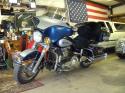 1999 Harley-Davidson FLHTC
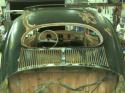 Future Volksrod


 Threaded Mode


